Plan the week. The shopping list writes itself.
Drop recipes onto days, and every ingredient lands on one list, grouped by food and ticked off from any device.

One week, start to finish
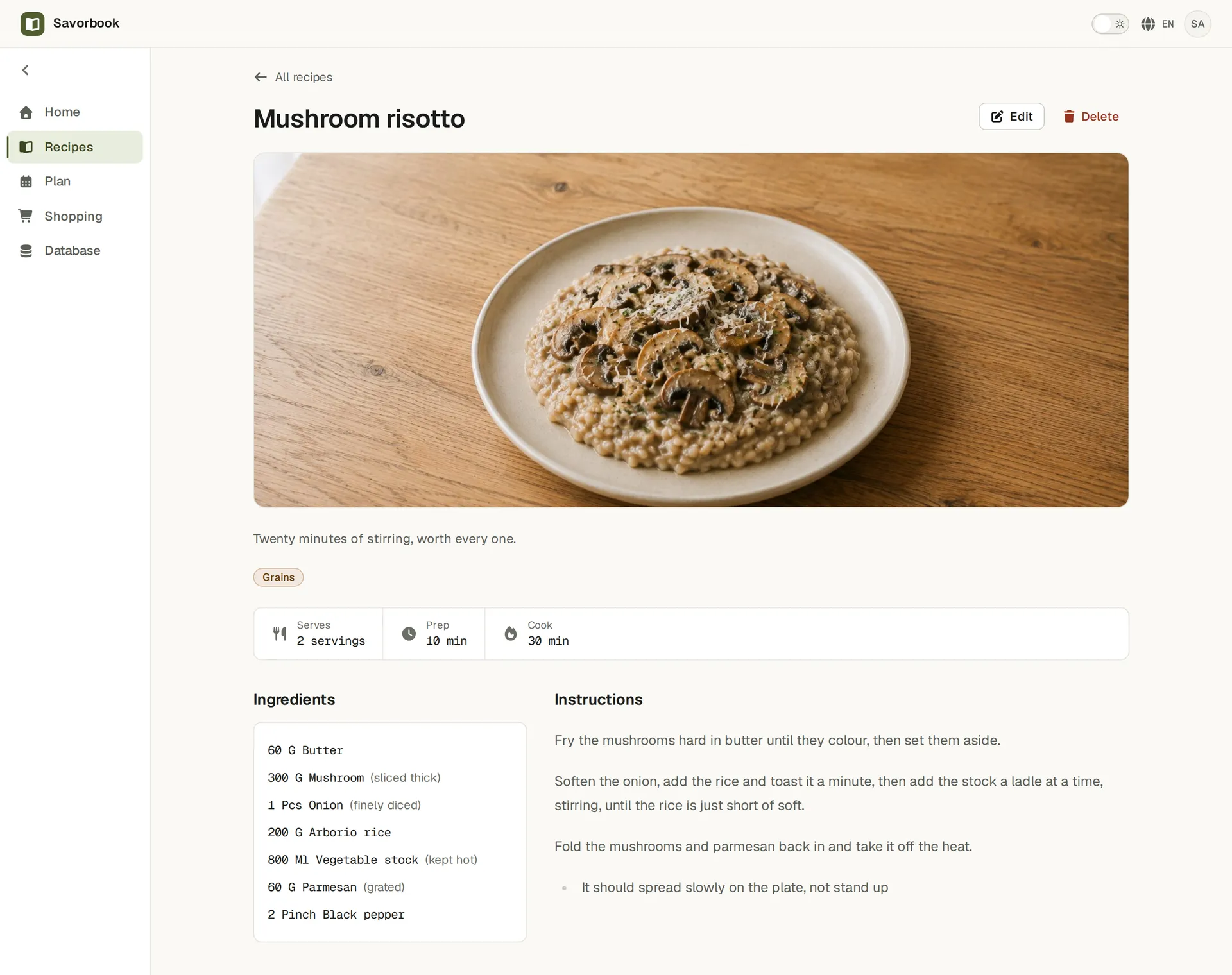
Add a recipe, or bring one in
Write it yourself, paste it in, or bring your whole library across from another app. Ingredients link to your own foods and units, so nothing stays a loose string.
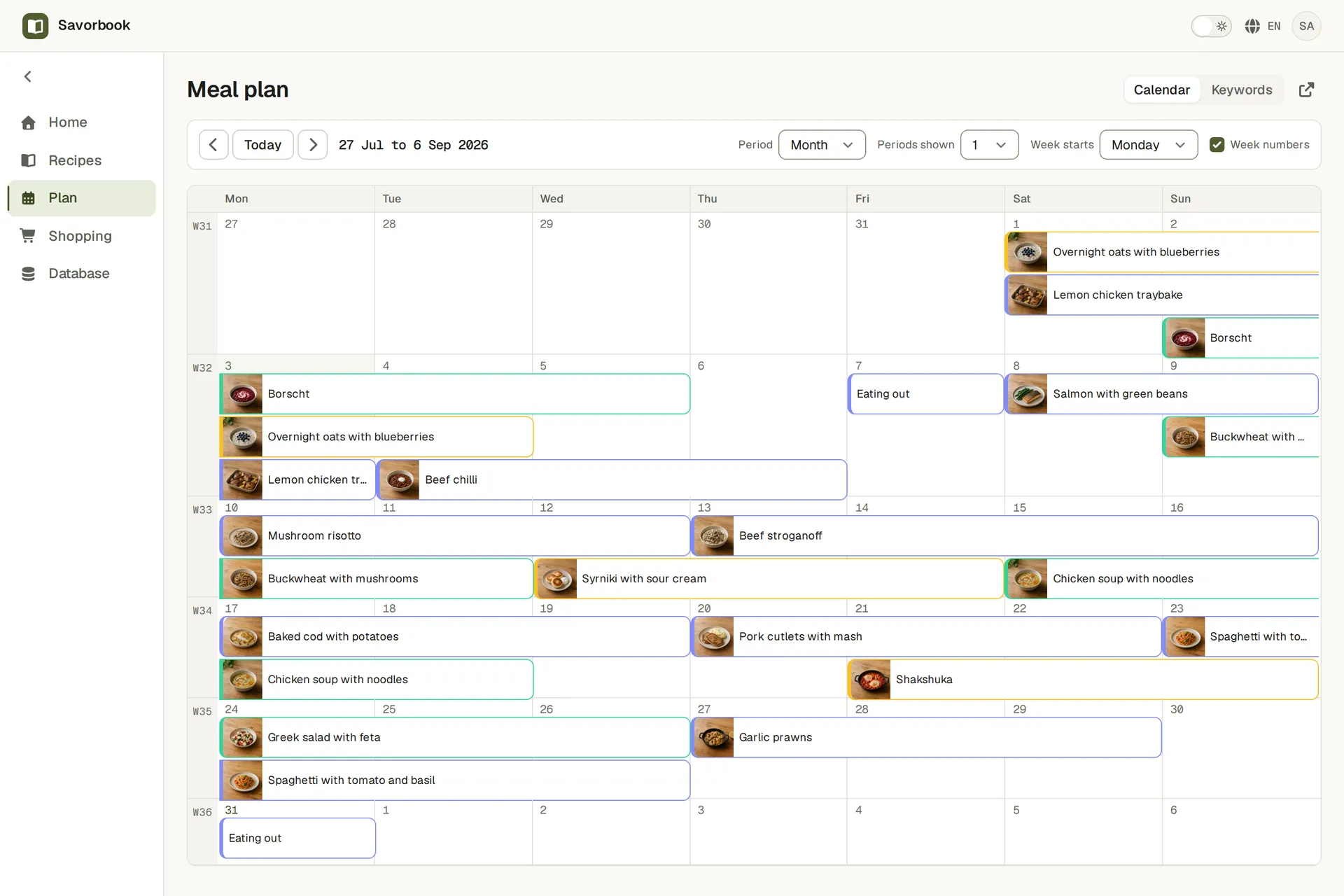
Fill the week
Drag a recipe onto any day and any meal. Move it, copy it, or plan the same dinner twice without retyping anything.
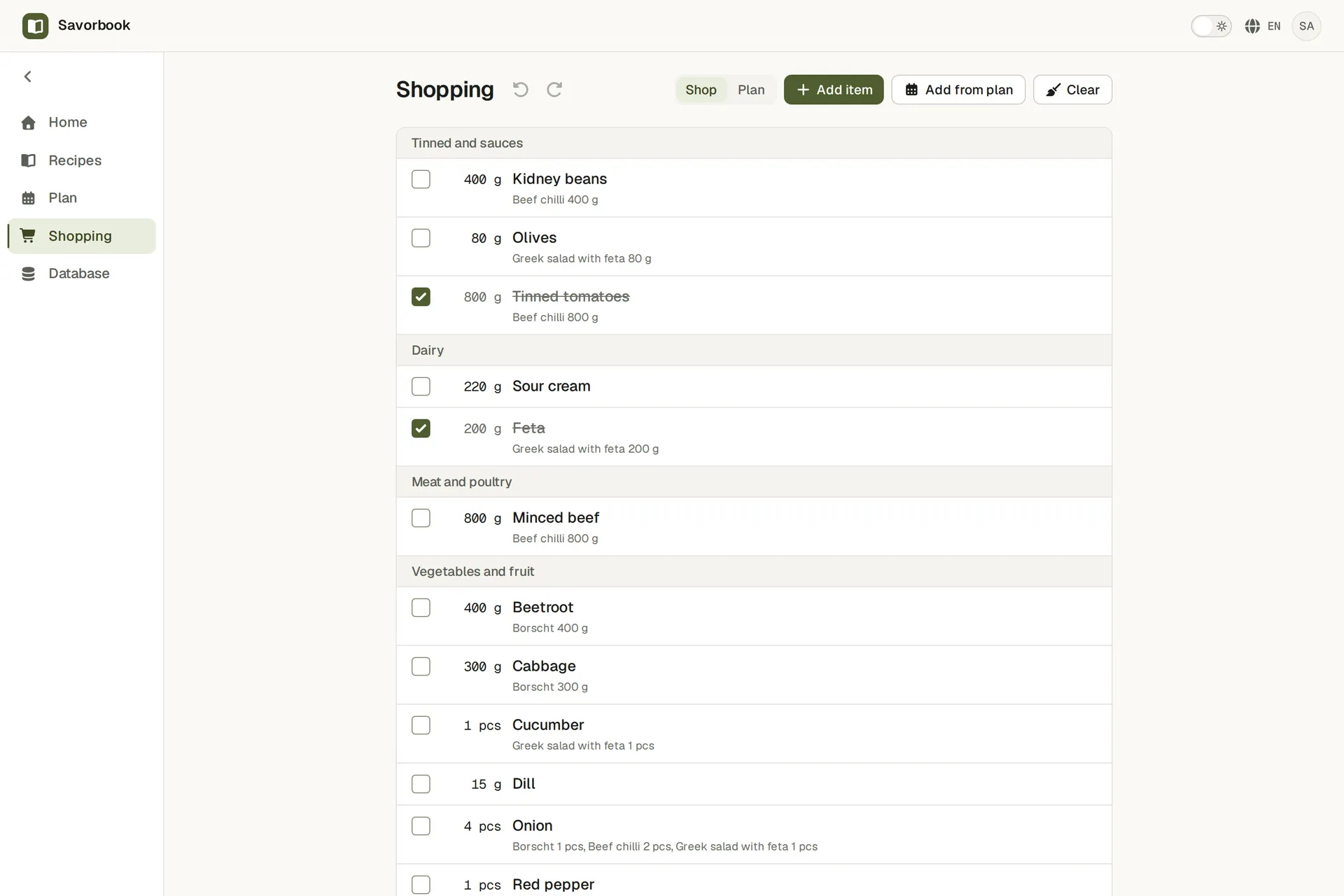
The list builds itself
Every ingredient from every planned meal, grouped by food and summed, so two recipes calling for onions ask for onions once.
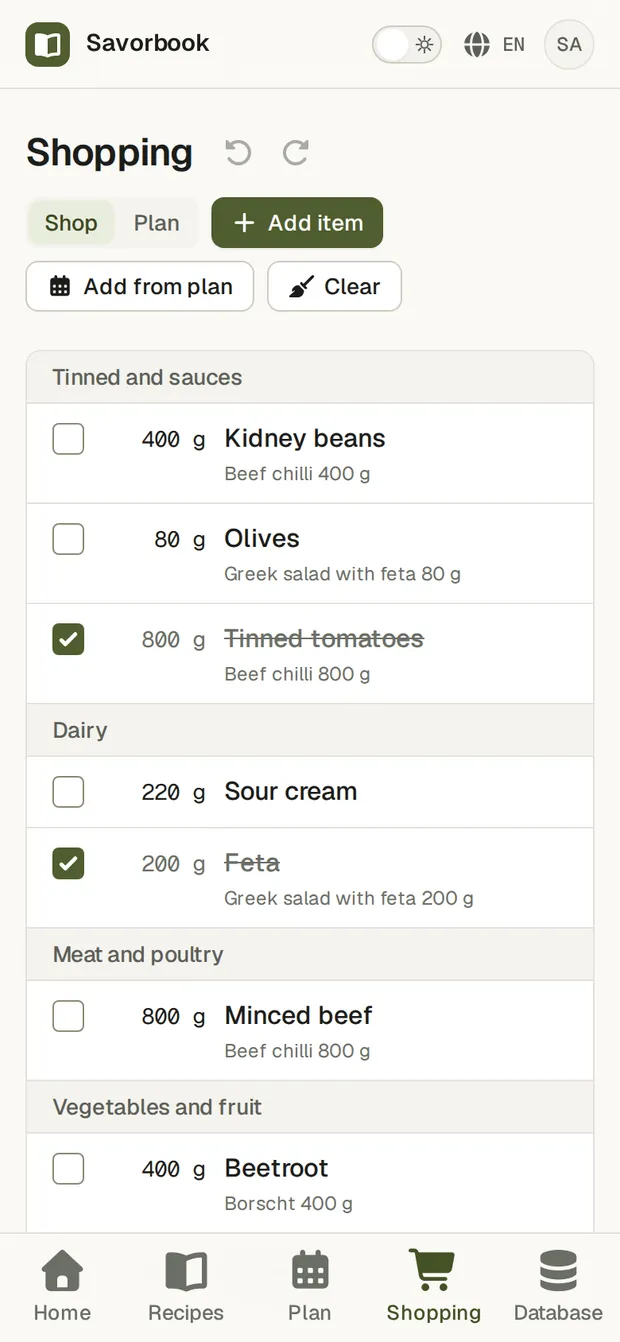
Shop from your phone
Tick items off in the aisle. It is the same list on every device you are signed in to, updating as you go.


What is underneath
- Your own database
- Foods, units, categories and keywords are yours to define. No fixed list decides what you cook with.
- Instructions that read well
- Write in a real editor with headings, lists and emphasis. Everything is stored as markdown, so the text outlives the editor.
- Sent to Telegram
- Push a recipe or the whole shopping list to Telegram, and cook or shop from your phone without opening a browser.
- Five languages
- English, Spanish, Portuguese, Russian and Chinese, throughout the app rather than only in the menus.
- Light and dark
- A choice you make rather than a guess from your system setting, and it holds wherever you sign in.
Your data leaves whenever you want
Export the whole account as one JSON file: recipes, plans, lists, foods, units, all of it. Import it back, or take it somewhere else. There is no export tier and nothing is held back.
Free, and no card
SavorBook costs nothing today and asks for no payment details. If that ever changes, the export above is how you leave with everything you put in.